


All Video Downloader & Browser
3.98.49K Reviews
App Specs
- Version
- 2.2.2
- Updated On
- License
- Free
- Downloads
- 50,000,000+
- Developer
- Fast Video Downloader & Story Saver - DevBay
- Categories
- Video Players & Editors
- Platform
- Android, iOS
Screenshots
 Analysis by AppCompare
If you've ever found yourself wishing you could save a friend's Instagram story or download a video you stumbled across online, then you know how frustrating it can be to find a reliable tool. Enter Video Downloader - Story Saver. This nifty app promises to make saving your favorite content a breeze. Let me tell you all about my experience with it.
Who gets the most from a saver like this?
I see the strongest case for this kind of app in small, practical moments: keeping a recipe clip to follow in the kitchen, saving a travel post before a trip, or holding onto a story a friend has shared with permission. Those are jobs where a direct save can be more useful than bookmarking a post that may later be hard to find. I’d still treat each download as a personal copy, not as permission to repost someone else’s work.
For an everyday example, imagine a friend sends a social post about a local event while you’re commuting. If the source platform’s own save function only bookmarks it, a downloader may be useful when you want a copy available for offline viewing later. I’d copy the post link while it is open, paste it into the app, then check the saved file before deleting or closing anything. That last check matters: a link can point to a post that has been removed, restricted, or changed since you first saw it.
The app is most appealing if you regularly move between social feeds and a device’s local media collection. It is less compelling if you only need to save something once in a while; a platform’s built-in bookmark or download option, when available, is simpler and avoids an extra step. It is also not the right choice for someone who expects every link to work regardless of account settings, access restrictions, or changes made by the platform.
Unpacking the Features
Once I installed the app, I was greeted with a sleek and user-friendly interface. One of the first things I noticed was how intuitive it was. You don’t need to be tech-savvy to navigate through it, which is always a plus in my book.
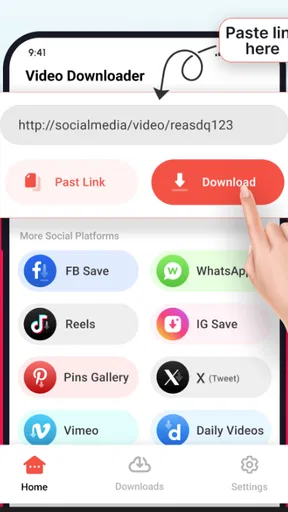
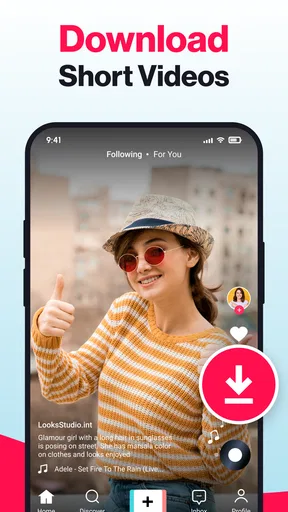
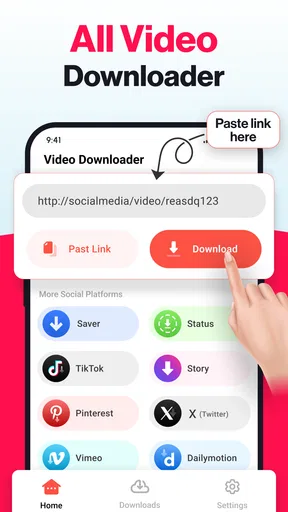
The app supports a variety of platforms, including Instagram, Facebook, and Twitter. This means you can save videos and stories directly from these apps without any extra steps. Just copy the link, and Video Downloader - Story Saver does the rest. It's like having a personal assistant for your media needs.
The Download Process
Using the app is straightforward. You simply copy the URL of the video or story you want to save, paste it into the app, and hit download. Voila! The app works its magic, and in a matter of seconds, the content is saved directly to your device. I found this incredibly efficient, especially when compared to other apps that make you jump through hoops just to save a single clip.
Worth Reading Before You Choose

EA SPORTS FC Mobile 26 Is a Bigger Football Game, but It Takes Time

Flipboard Shows What News Apps Must Do Beyond the Feed

Switching to Android Auto Means Rethinking Your Driving Routine

Google Calendar Makes a Crowded Week Easier to Manage

Ludo King Makes the Most of the Minutes Between Plans

Baby Panda World Brings Quick Play to Modern Phones, but Its Game Library Feels Busy
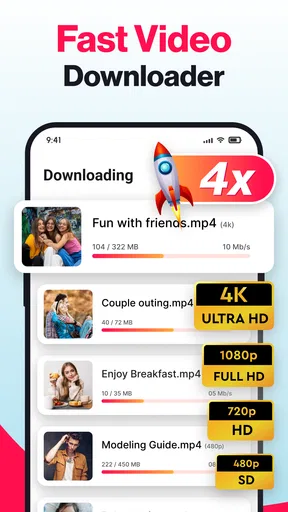
Another great feature is the batch download option. If you’re anything like me and often find yourself wanting to download multiple stories or videos at once, this feature will be a lifesaver. Just queue up your downloads, and the app handles them all seamlessly.
Making the copy-link workflow reliable
The copy-and-paste approach has a useful advantage over saving from inside each social app: I can keep the source app and the downloader separate, which makes it easier to return to the post if I want to check its context. My practical tip is to copy one link at a time at first and confirm that the result is the right item before queuing several. It reduces the chance of ending up with a collection of similarly named clips that are difficult to identify later.
Batching is most helpful when the items belong together, such as several clips from one event or a set of story posts you have permission to keep. It can be less convenient when links come from different accounts or platforms: reviewing each result as it completes takes longer, but it gives you a chance to catch a failed or mismatched download. For important material, I would not assume a queue finished correctly without checking the files.
Compared with a browser-based downloader, an app can keep the saving and playback steps together instead of making you switch between a web page and a file manager. Compared with a platform’s own bookmark, though, it creates a separate copy that you must organize yourself. That trade-off is central: the convenience of having media on your device comes with responsibility for storage, attribution, and respecting the creator’s intended use.
Quality and Speed
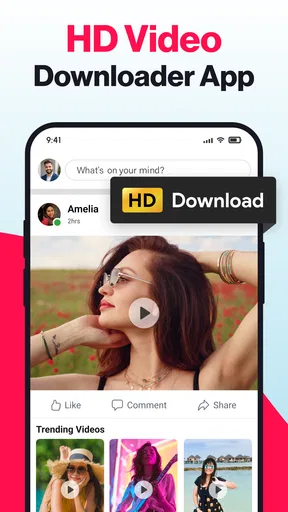
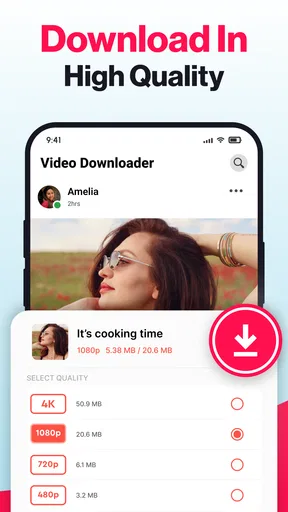
Now, let's talk about quality. I was impressed to see that the app preserves the original quality of the videos and stories. No more pixelated videos or distorted audio. Whether it’s a high-definition video or a simple story, the app ensures you get exactly what you see.
And then there’s the speed. I was skeptical at first, but the download speeds were surprisingly fast. Even with larger video files, the app didn’t falter. This makes it ideal for those moments when you’re in a rush and need to save something quickly.
What I would check before relying on a saved clip
Even when a download looks successful, I’d play the file all the way through if its ending matters. A quick preview can confirm that the video opens, but it may not reveal a missing final moment or an audio issue. For a clip meant to support a recipe, workout, or event plan, checking it while you still have access to the original is a sensible habit.
Large files also deserve a little thought before saving in bulk. Keeping only the clips you genuinely plan to revisit makes a local collection easier to search and leaves less clutter on the device. If you mainly want to watch something once, a bookmark or the platform’s own viewing option may be the better choice. A downloader is most useful when you have a clear reason to keep an offline copy.
Additional Features Worth Mentioning
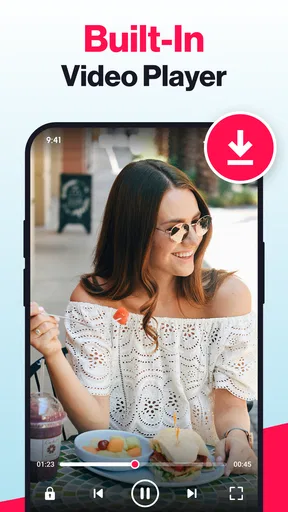
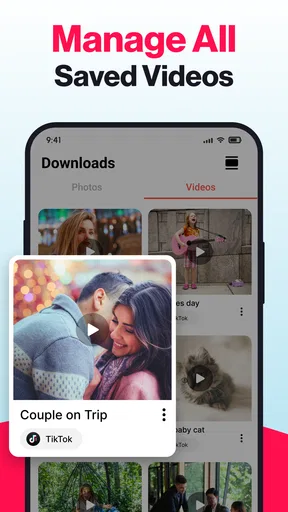
Beyond just downloading, the app also offers some handy extras. For instance, there's a built-in media player. This means you can view your downloaded content without needing to leave the app. It's a small touch, but it adds a layer of convenience that I appreciated.
The app also allows for easy sharing. Once you've downloaded a video or story, you can share it directly from the app to your favorite social media platforms or messaging apps. It’s perfect for those times you want to circulate a funny video among friends.
The built-in player is useful for a quick check before sharing, but I would not treat a download as ready to redistribute just because the share control is convenient. If you are passing a clip to a group chat, consider whether the creator intended it to circulate beyond its original audience. When the goal is simply to help a friend find the post, sharing the original post may preserve context and credit more clearly than sending a saved file.
Security and Privacy
In today’s digital age, security and privacy are big concerns. I was relieved to find that Video Downloader - Story Saver takes these seriously. The app doesn’t require you to log in, so your personal data remains safe. Plus, it doesn’t store your download history, which is another reassuring aspect.
However, it’s always good to be cautious. While the app itself is secure, always ensure you have the right to download and share the content you’re saving.
For a cautious first run, I’d try a harmless public clip before making the app part of a regular routine. That lets you learn where downloads appear and how the player behaves without relying on it for something important. I’d also keep a clear separation between private keepsakes and files I intend to share; local copies can be easy to forget about once the original story disappears from a feed.
Where it sits among alternatives
Video Downloader - Story Saver is a free app in the video-player and editing space, developed by Fast Video Downloader & Story Saver - DevBay. It has a 3.9 average from around 649,000 ratings, and it has passed 50 million installs. Those figures suggest it has reached a broad audience, but they do not guarantee that every link or platform interaction will work the same way for every user.
The app is rated for Everyone, first appeared on May 18, 2020, and its current version is 1.16.53. It supports devices running Android 7.0 or later. The core app is free, with in-app purchases ranging from $2.99 to $24.99 per item, so I’d check the purchase screen carefully before confirming anything and decide whether the free experience already meets your needs.
Against a dedicated file manager, its advantage is the focused link-to-media flow and built-in playback; a file manager is better for sorting, renaming, and maintaining a large library after the download. Against a social platform’s own save feature, this app is more about keeping a device-side copy, while bookmarking is usually cleaner when you only want to return to the original. If you need dependable archival, careful folder structure, or a workflow built around editing clips, a more specialized tool may suit you better.
Final Thoughts
After spending time with Video Downloader - Story Saver, I can confidently say it’s a must-have for anyone who frequently finds themselves wanting to save online content. It’s user-friendly, efficient, and respects your privacy—an all-in-one package. Whether you’re saving a cherished memory from a friend’s story or downloading a funny clip, this app makes the process smooth and hassle-free.
If you’re tired of unreliable downloaders or just want a tool that works, give this app a shot. It’s available for both Android and iOS, making it accessible to almost everyone. Download it today and say goodbye to the frustration of not being able to save your favorite online moments.
My recommendation is more measured: it is worth trying if you often need a personal offline copy and are comfortable checking the result, organizing the file, and respecting the source creator. I would skip it if built-in bookmarks already solve your problem, if you rarely save media, or if you need a guaranteed archive of posts that may be private or removed. The useful question to ask yourself is whether having a local copy changes what you can actually do; if it does, this app’s straightforward workflow may earn a place on your phone.
As the app continues at version 1.16.53, I’d watch for practical improvements that make link handling clearer and help users identify completed or unsuccessful downloads. Those are the details that would matter most in everyday use. For now, I’d treat it as a convenient helper rather than a universal solution: useful for accessible content and quick personal saves, but not a substitute for the original post, creator permission, or a deliberate media-library system.
Pros
- Simple and intuitive interface.
- Supports multiple video platforms.
- Fast download speeds.
- Allows batch downloading.
- No account login required.
Cons
- Contains in-app ads.
- Limited format options.
- No direct social media sharing.
- Requires internet connection.
- Large file sizes may take time.
FAQs for All Video Downloader & Browser
What is Video Downloader - Story Saver and what can it do?
Video Downloader - Story Saver is an application designed to help users easily download videos and stories from various social media platforms. With this app, you can save content directly to your device, allowing for offline viewing and sharing across multiple platforms. It's a handy tool for managing and organizing your favorite online media.
Is Video Downloader - Story Saver safe to use?
Yes, Video Downloader - Story Saver is designed with user safety in mind. The app does not require unnecessary permissions and ensures your data is kept secure. However, it’s important to download the app from official sources like the Google Play Store or Apple App Store to avoid any risks associated with unofficial versions.
Does Video Downloader - Story Saver support all social media platforms?
While Video Downloader - Story Saver supports many popular platforms such as Instagram, Facebook, and Twitter, it may not be compatible with all social media networks. The app regularly updates to include more platforms, so it's advisable to check the app description for the latest list of supported services before downloading.
Are there any in-app purchases or ads in Video Downloader - Story Saver?
Video Downloader - Story Saver is free to download, but it may contain ads to support the developers. Some features might be limited in the free version, with optional in-app purchases available to unlock premium functionalities, such as ad-free experience or additional download options. Users can choose to upgrade if they find the app useful.
How user-friendly is Video Downloader - Story Saver for beginners?
Video Downloader - Story Saver is designed to be user-friendly, with a simple and intuitive interface that makes it easy for beginners to navigate. The app provides clear instructions and tutorials to guide users through the download process, ensuring a smooth experience even for those new to media downloading apps.


